November 16, 2026
How to put apps on your iPhone lock screen
Touch and hold the lock screen, tap Customize, then Lock Screen. From there you can swap the two corner buttons for any app, or tap the box under the clock to add widgets. Out of the box that gives you 2 apps of your choice. A launcher widget raises it to 16.
Way 1: swap the flashlight and camera buttons
Good for the two apps you open all day.
- Touch and hold the lock screen until Customize shows up, tap it, then tap Lock Screen.
- Tap the minus on the flashlight or the camera button.
- Tap the plus that takes its place.
- Scroll to Shortcuts, tap Open App and choose the app.
- Tap Done.
You lose nothing. The camera still opens with a swipe to the left, and the flashlight is in Control Center.
Way 2: widgets under the clock
The box under the time holds four small widgets, two wide ones, or one wide and two small. A tap on a widget opens its app.
- Touch and hold the lock screen, tap Customize, then Lock Screen.
- Tap the box under the time.
- Tap or drag a widget in. If the row is full, remove one with its minus first.
- Close the list and tap Done.
The catch: only apps that ship a lock screen widget are in the list, and each widget opens only its own app. Many apps have none.
Way 3: 16 apps under the clock
App Launcher has two wide widgets with 8 app icons each. Together they fill the box under the clock with 16 apps you pick, whether those apps have a widget or not.
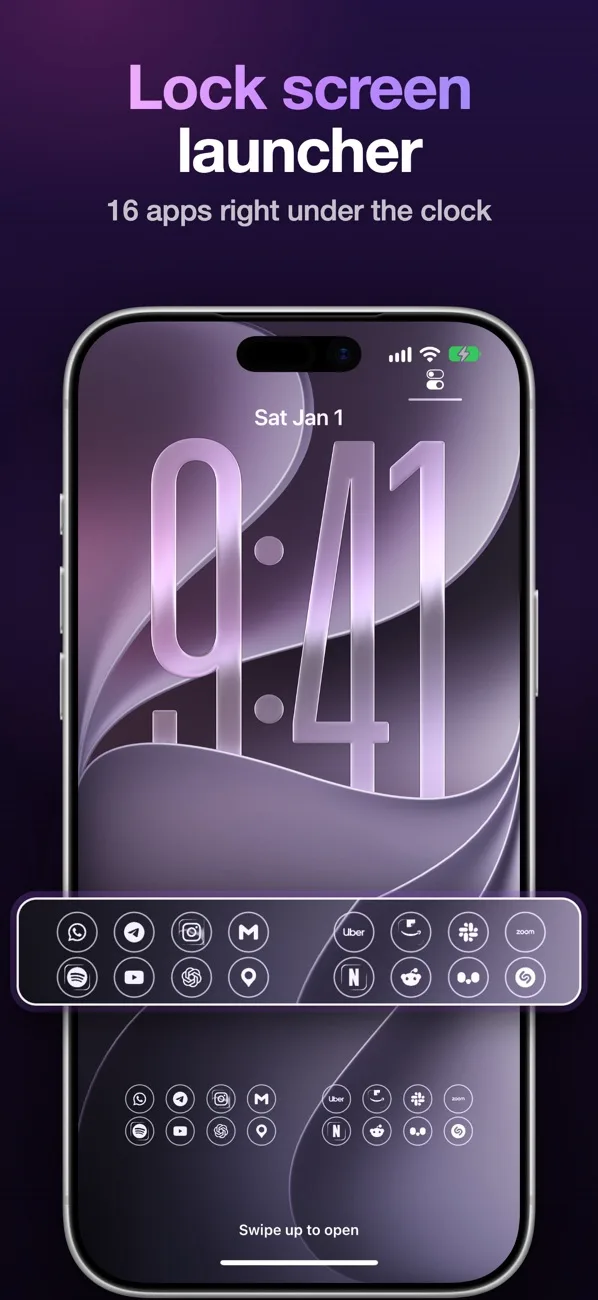
- Install App Launcher and open it.
- Switch to Lock screen at the top, tap a spot and choose its app. Do it for up to 16 spots.
- On the lock screen touch and hold, tap Customize, Lock Screen, then the box under the time.
- Add Launcher 1 and Launcher 2, then tap Done.
Tap an icon, look at the phone for Face ID, and the app opens. If you want to keep a weather or calendar widget, add only one of the two, or the round widget that holds a single app.
Which one to pick
| Way | Apps | Needs |
|---|---|---|
| Corner buttons | 2, any app | iOS 18 or later |
| Widgets of the apps | Up to 4, only apps that offer one | iOS 16 or later |
| App Launcher | 16, any app | iOS 27 |
They stack. Corner buttons plus the launcher row put 18 apps one tap from a locked phone.
Apple's pages on this: create a custom Lock Screen, add and edit widgets.
Questions
How many widgets fit on the iPhone lock screen?
The box under the clock fits four small widgets, two wide ones, or one wide and two small. One more line of text sits above the clock.
Why is an app missing from the lock screen widget list?
Its developer has to build a lock screen widget. When there is none, use Open App on a corner button or a launcher widget.
Do apps open without unlocking the iPhone?
No. The iPhone asks for Face ID or the passcode first, then opens the app.
Which iPhones have lock screen widgets?
Every iPhone on iOS 16 or later. Swapping the corner buttons came with iOS 18.