November 19, 2026
How to make a transparent widget on iPhone
iPhone has no see-through widgets, iOS draws a panel behind every one. The built in Clear look turns that panel into glass. For a page of app icons with no panel at all, App Launcher matches your wallpaper behind its widget. It takes two screenshots and about a minute.
The built in way, the Clear look
- Touch and hold an empty spot on the home screen until the icons move.
- Tap Edit, then Customize.
- Tap Clear.
Icons and widgets turn into clear glass and the wallpaper shows through it. The panels stay in place, and the look goes to every icon on the home screen at once. Dark and Tinted from the same panel are in how to customize your iPhone background and app icons.
App icons right on the wallpaper
App Launcher fills one home screen page with a grid of your apps, in the full page widget size of iOS 27. With its Transparent background the panel is gone and only the icons stay. Put the Launcher widget on your home screen first, then do this.
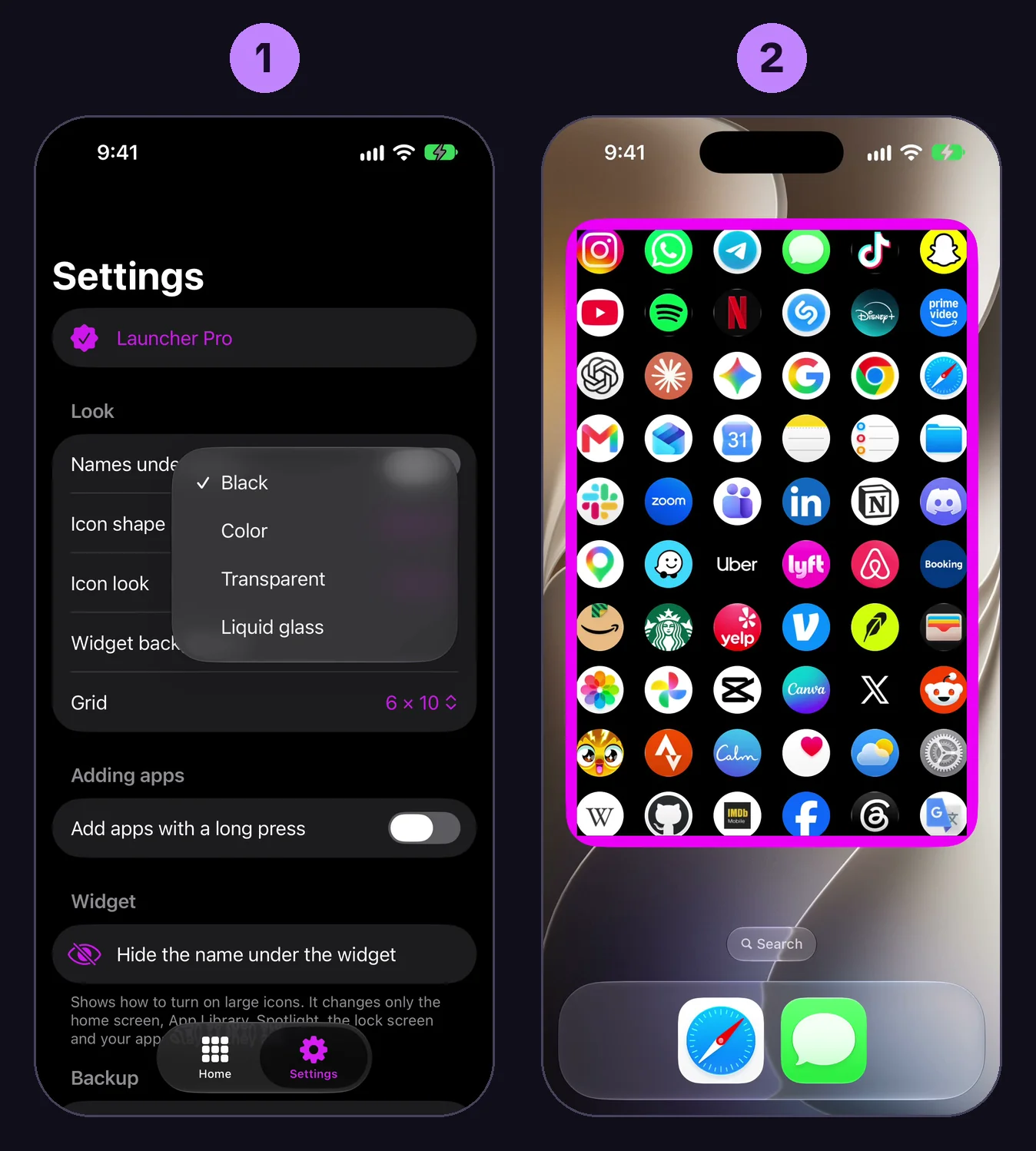
- Open App Launcher, tap Settings, tap Widget background and choose Transparent. The Match the wallpaper screen opens, leave it open.
- Go to the home screen. The widget shows a pink frame now. Take a screenshot, press the side button and the volume up button at the same time.
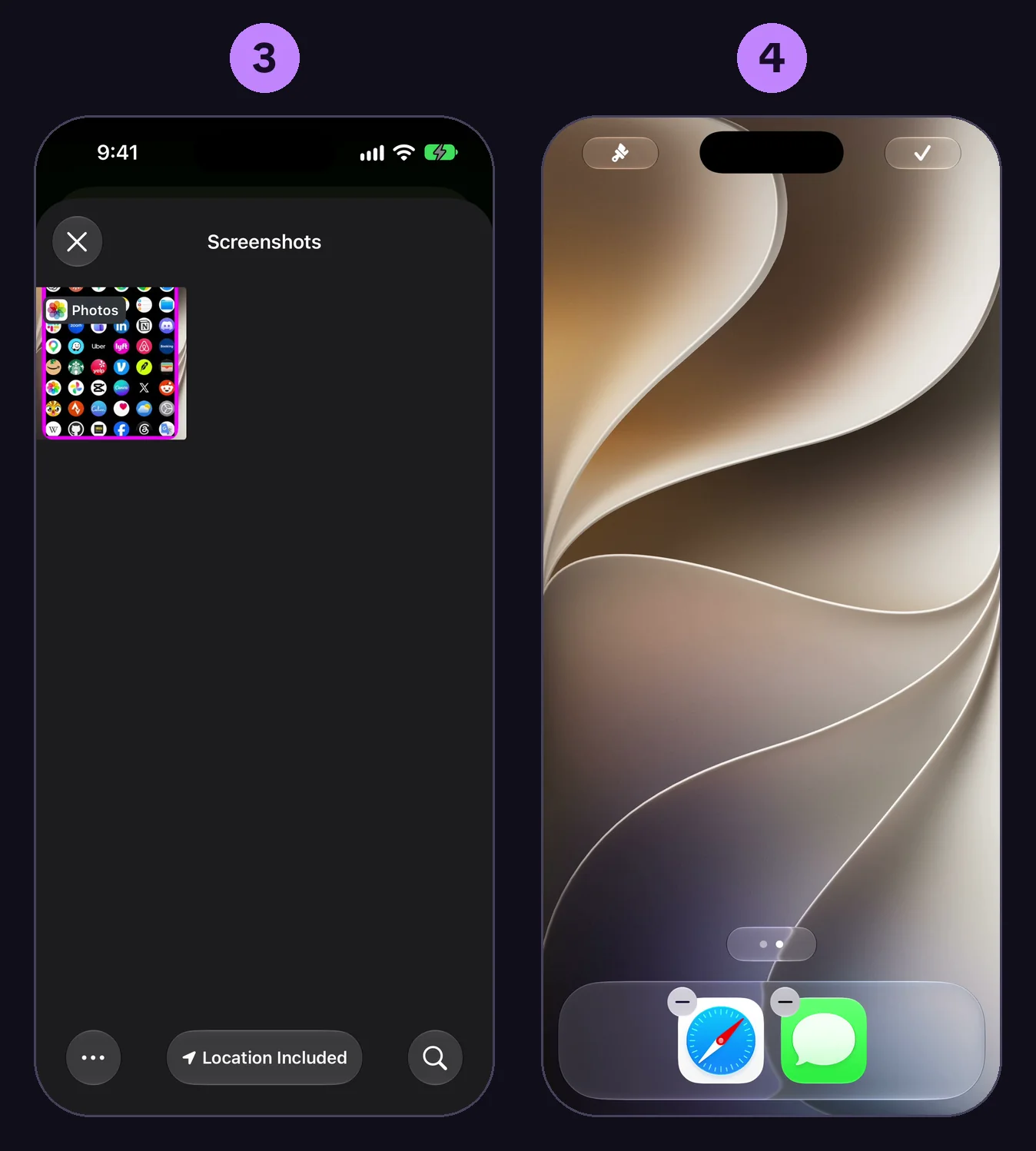
- Go back to App Launcher, tap Pick the screenshot with the frame and choose that screenshot.
- Go to the home screen again. Touch and hold an empty spot until the icons move, swipe left to the empty page at the end and take a screenshot there.
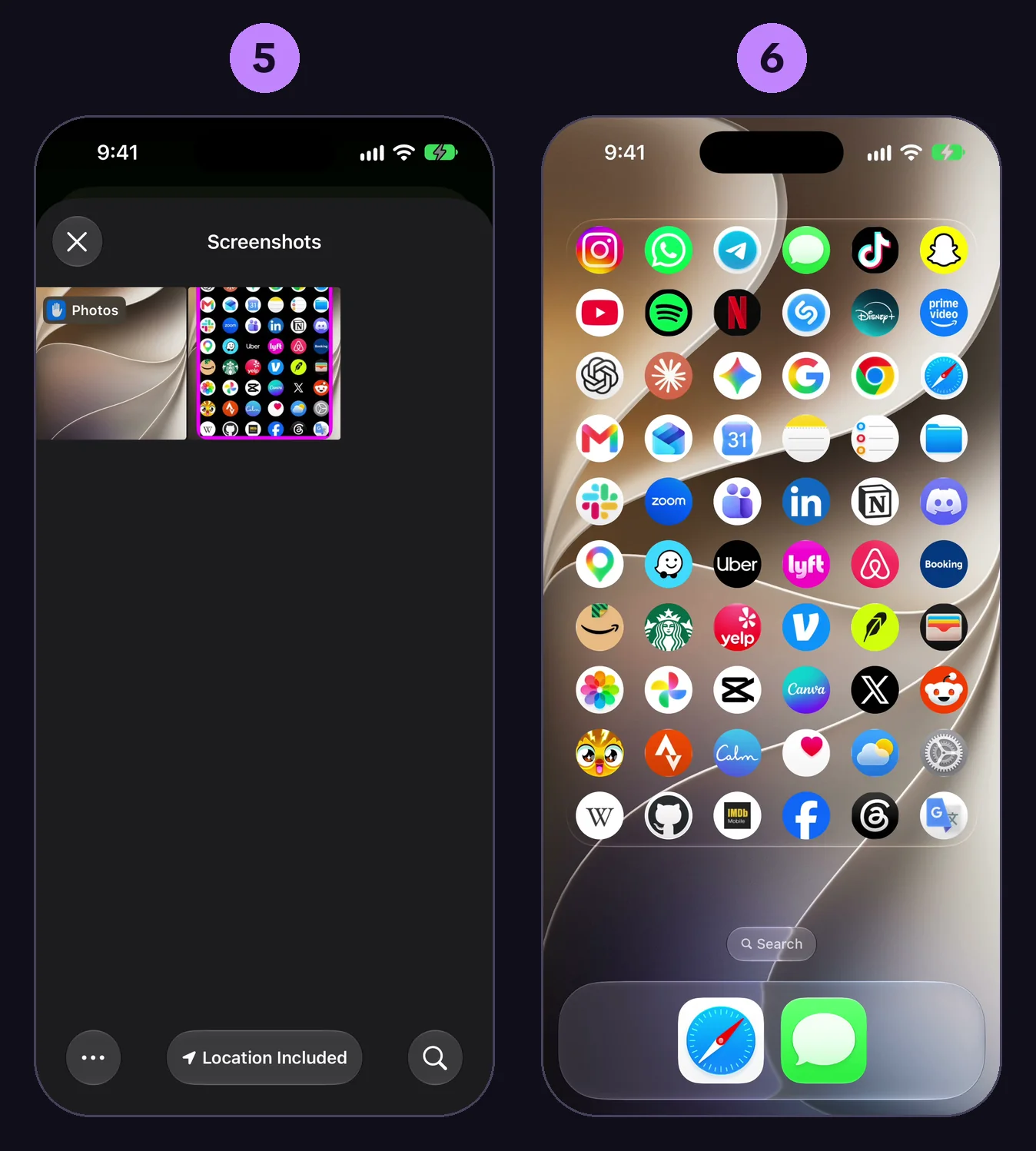
- Go back to App Launcher, tap Pick the empty page screenshot and choose it.
- The screen closes. On the home screen the frame is gone and the icons sit on your wallpaper.
Black, Color, Transparent and Liquid glass are all free.
If it does not work
- No pink frame on that screenshot. The frame shows only while the Match the wallpaper screen is open in the app. Open it again, go to the home screen and take the first screenshot then.
- The screenshot is not in the list. The list shows screenshots only. If your screenshot opened full screen, swipe up or tap the checkmark and save it to Photos. One that shrinks to a thumbnail in the corner saves by itself.
- The order. First the screenshot with the frame, then the empty page. On the empty page nothing may sit where the widget is.
- A new wallpaper. Open Settings in the app and tap Match the wallpaper again.
What App Launcher does not do
- It does not make the widgets of other apps transparent, only its own grid of app icons.
- It does not follow a wallpaper that changes by itself, like Photo Shuffle. Match it again, or use a still wallpaper.
- It does not run on iPhones before iOS 27, they have no full page widget.
- The dock, the App Library and Spotlight stay as iOS draws them.
Six full setups for the page are in iPhone home screen layout ideas.
Apple's pages on this: take a screenshot, customize apps and widgets on the Home Screen.
Questions
Can iPhone widgets be transparent?
Not by themselves, iOS draws a panel behind every widget. The Clear look turns the panel into glass, and App Launcher matches the wallpaper so its widget looks see-through.
What do I do after the screenshot of the empty page?
Go back to App Launcher, tap Pick the empty page screenshot and choose it. The screenshot with the pink frame has to be picked before it.
Why does the widget look wrong after I changed the wallpaper?
The match belongs to one wallpaper. Open Settings in App Launcher, tap Match the wallpaper again and take the two screenshots once more.
Is the transparent background a Pro feature?
No. Black, Color, Transparent and Liquid glass are free.