November 16, 2026, updated November 18, 2026
Nova Launcher for iPhone - does it exist and what comes closest
No. Nova Launcher exists only for Android, and iPhone does not let any app replace its home screen. What you can do is rebuild the parts of a Nova setup that matter: a dense icon grid, no names under the icons, everything on one page. It takes iOS settings and one widget.
Why there is no launcher for iPhone
On Android the home screen is an app, so you can swap it for Nova or anything else. On iPhone the home screen is part of the system and apps get no way to take its place. Apps in the App Store with "launcher" in the name are widgets, themes or shortcut collections. None of them is a new home screen.
So the real goal is not to install Nova. It is to get your layout back.
What iPhone does on its own
| Nova habit | iPhone today |
|---|---|
| Icons anywhere on the page | Yes since iOS 18, on a 4 column grid |
| No names under icons | Yes, with large icons (steps below) |
| Dark or tinted icons | Yes, Edit, Customize |
| More than 4 columns | No, a page is 4 by 6 |
| Icons between rows | No |
| Every app on one page | No, 24 icons a page plus the dock |
| Your own picture for an icon | Only one by one through Shortcuts |
| Swipe gestures on the home screen | No |
To hide the names:
- Touch and hold an empty spot on the home screen until the icons jiggle.
- Tap Edit at the top left, then Customize.
- Switch the icon size to large. The icons grow a little and every name disappears.
- Tap outside the panel to finish.
The dense grid: 100+ icons on one page
iOS 27 added a widget size that fills a whole home screen page. App Launcher turns that page into a grid of your apps, 6 columns by 10 rows for free and up to 8 by 13 with Pro. That is 104 icons where an iPhone page holds 24.
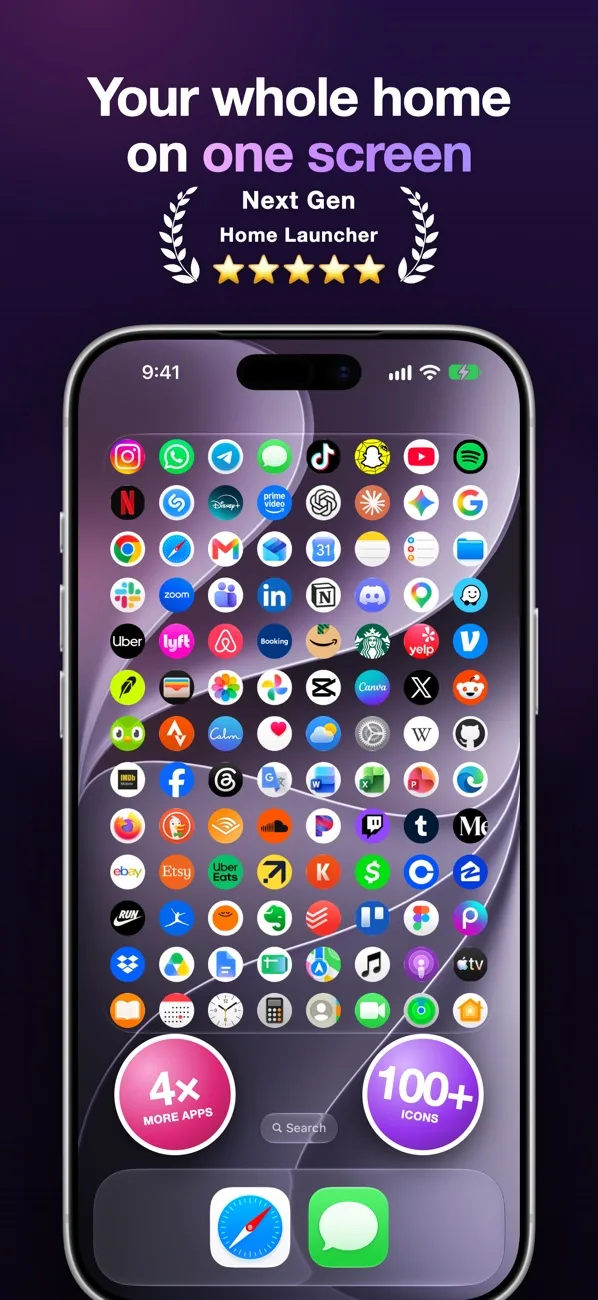
- Install App Launcher and open it.
- Tap an empty spot on the page, search for an app and tap it. It lands on that spot. Websites work too.
- Drag the icons where you want them. They can sit between rows, and gaps stay where you leave them.
- On the home screen touch and hold an empty spot, tap Edit, Add Widget, Launcher, and put it on an empty page.
- In the app open Settings and pick the widget background: black, a color, transparent or liquid glass.
Tap an icon in the widget and the app opens. Tap an icon in the editor to change its picture or remove it.
What you still will not get
- Gestures and icon packs applied in one tap. iPhone has neither, with or without an app.
- Badges. Icons inside a widget do not show the red notification counts.
- A new dock. The system dock and the App Library stay as they are.
- Hidden names inside the widget for free. The free grid shows names, hiding them is part of Pro, like the other grid sizes and the outline look.
It needs iOS 27, older versions have no full page widget.
Apple's pages on the built in part: customize apps and widgets on the Home Screen, move apps and widgets.
Questions
Is there an official Nova Launcher for iOS?
No. Nova Launcher is an Android app and was never released for iPhone. An App Store app with a similar name is a different app.
Can I change the default launcher on iPhone?
No. iOS has no default launcher setting. You can change what sits on the home screen, not the home screen itself.
Can an iPhone show more than 4 columns of icons?
Not with regular icons, a page is 4 columns by 6 rows. A widget that draws its own grid is the only way to a denser page, up to 8 columns in App Launcher.
Does this work on iPad?
Yes. On iPad the widget is a wide band with up to 16 by 8 icons.