Updated November 19, 2026
App Launcher questions and answers
Step by step answers about the App Launcher widget, its backgrounds, the lock screen, backups and Pro.
- How do I make the widget background transparent?
- I took the screenshots, what do I do next?
- The widget does not match after I changed the wallpaper
- How do I put the widget on my home screen?
- How do I hide the name Launcher under the widget?
- How do I add, move and remove apps?
- How do I put apps on the lock screen?
- How do I move my page to another iPhone or iPad?
- What does Pro add, and how do I get it back?
- How do I reach support?
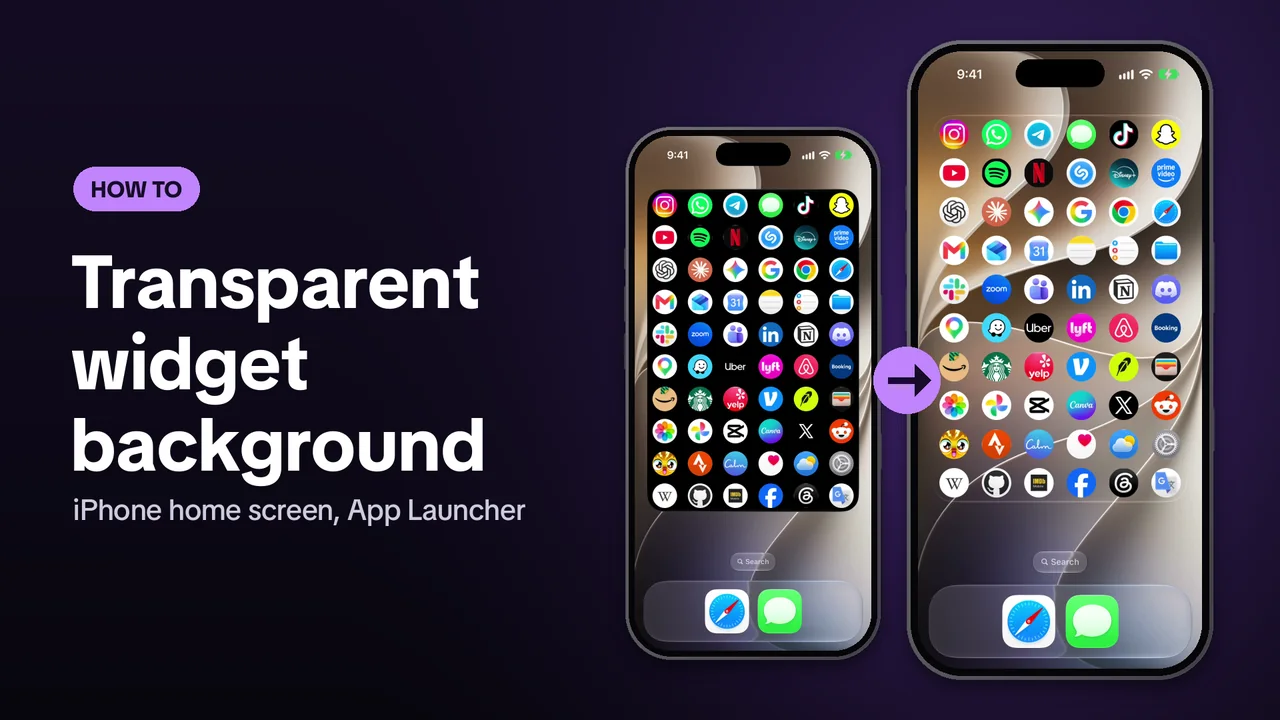
How do I make the widget background transparent?
Choose Transparent in the app, then give it two screenshots, one of the home screen with the widget and one of an empty page. The widget then shows your wallpaper behind the icons. It takes about a minute. The Launcher widget has to be on your home screen first.
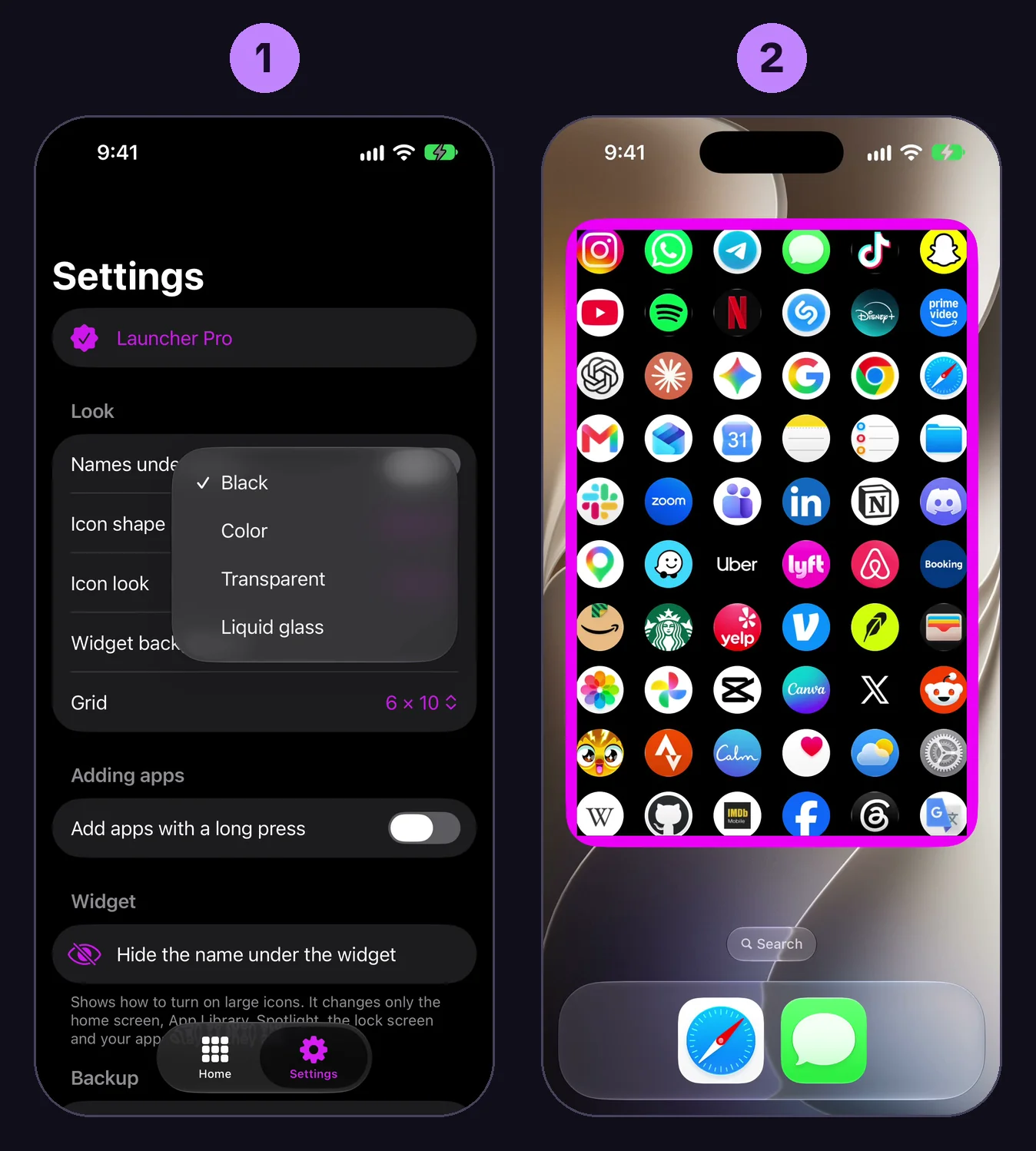
- Open App Launcher, tap Settings, tap Widget background and choose Transparent. The Match the wallpaper screen opens, leave it open.
- Go to the home screen. The widget shows a pink frame now. Take a screenshot, press the side button and the volume up button at the same time.
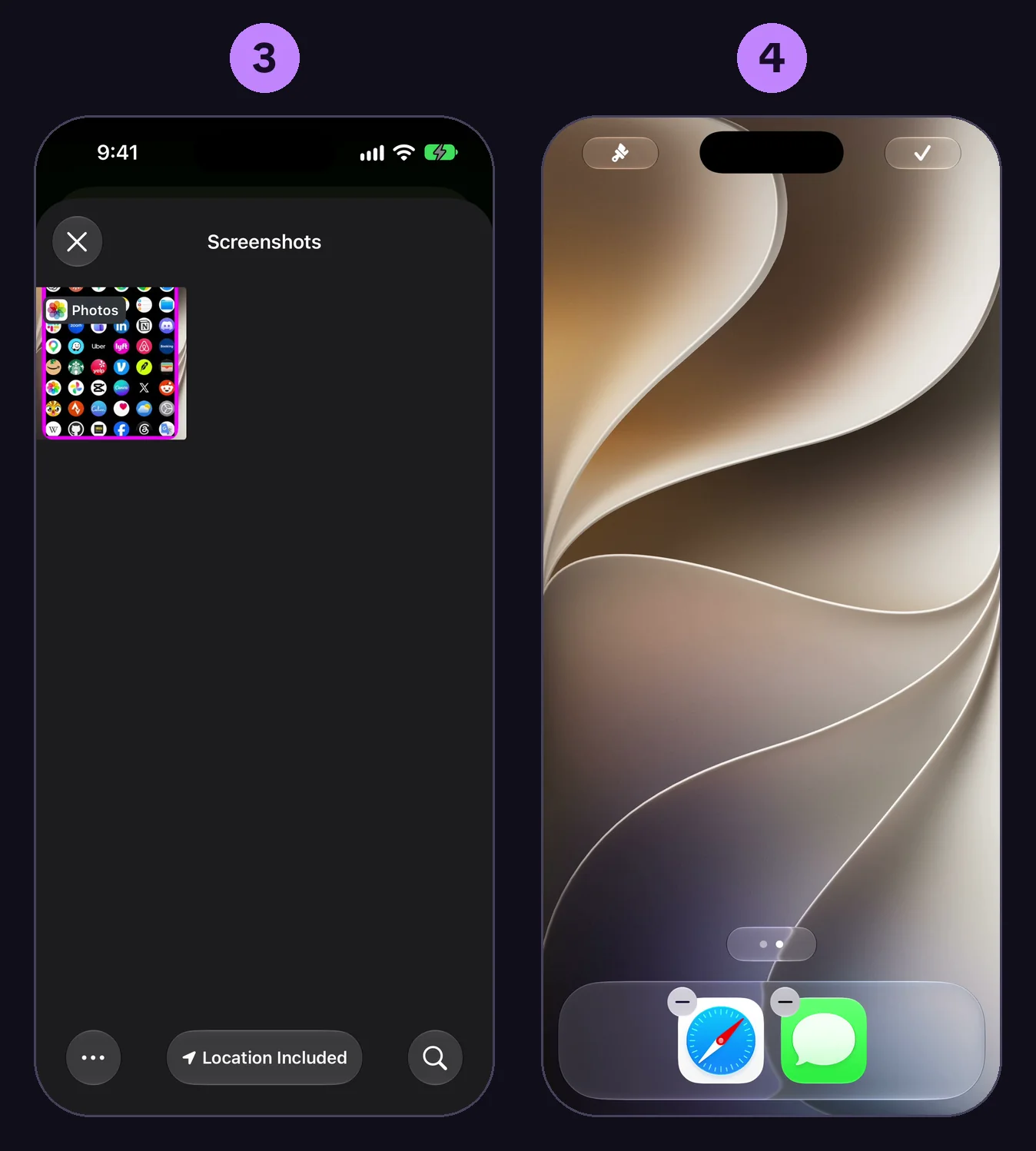
- Go back to App Launcher, tap Pick the screenshot with the frame and choose that screenshot.
- Go to the home screen again. Touch and hold an empty spot until the icons move, swipe left to the empty page at the end and take a screenshot there.
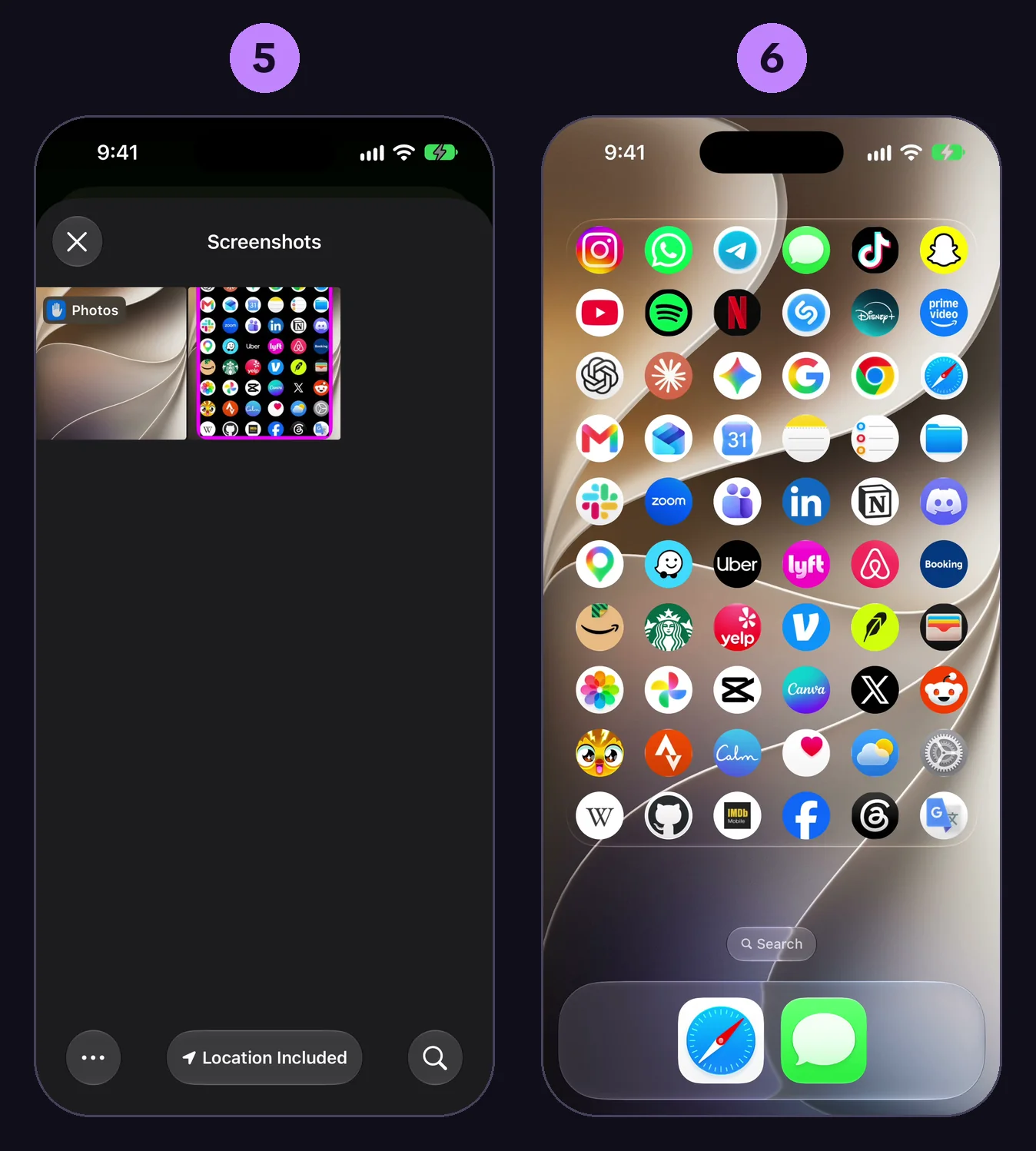
- Go back to App Launcher, tap Pick the empty page screenshot and choose it.
- The screen closes. On the home screen the frame is gone and the icons sit on your wallpaper.
The same steps as a short vertical video are on YouTube. Liquid glass uses the same two screenshots. All four backgrounds are free. More on it in the guide how to make a transparent widget on iPhone.
I took the screenshots, what do I do next?
Each screenshot has to be picked in the app, in this order.
- Open App Launcher. The Match the wallpaper screen is still there. If it is not, tap Settings, Widget background, Transparent.
- Tap Pick the screenshot with the frame and choose the home screen screenshot that shows the pink frame.
- The button changes to Pick the empty page screenshot. Tap it and choose the screenshot of the empty page.
If things go wrong:
- No pink frame on that screenshot. The frame shows only while the Match the wallpaper screen is open in the app. Go to the home screen then and take the screenshot again.
- The screenshot is not in the list. The list shows screenshots only. If your screenshot opened full screen, swipe up or tap the checkmark and save it to Photos. One that shrinks to a thumbnail in the corner saves by itself.
- The widget shows the wrong piece of the wallpaper. On the empty page nothing may sit where the widget is. Take that screenshot on the empty page at the end, the one iPhone adds while the icons move.
The widget does not match after I changed the wallpaper
The match belongs to one wallpaper.
- Open App Launcher and tap Settings.
- Tap Match the wallpaper again.
- Take the two screenshots once more and pick them, as in the first answer.
A wallpaper that changes by itself, like Photo Shuffle, cannot stay matched. Use a still wallpaper, or the Black, Color or Liquid glass background.
How do I put the widget on my home screen?
- Open App Launcher, tap an empty spot on the page and add your apps.
- On the home screen touch and hold an empty spot until the icons move.
- Tap Edit, then Add Widget.
- Search for Launcher, tap it, then tap Add Widget.
- Put it on an empty page. On iPhone the widget fills the whole page.
The full page widget needs iOS 27.
How do I hide the name Launcher under the widget?
iPhone writes the app name under every widget. Its large icon look hides the names, only on the home screen.
- Touch and hold the widget, then tap Edit Home Screen.
- Tap Edit at the top left.
- Tap Customize.
- Tap the icon size button at the top right of the panel.
- Tap outside the panel, then the checkmark at the top right.
The icons on the home screen get a bit larger and the names under icons and widgets disappear. In the app, Settings, Hide the name under the widget shows the same steps with pictures.
How do I add, move and remove apps?
All of it happens on the page inside App Launcher, the widget follows.
- Add. Tap an empty spot, search for the app and tap it. Type a website address to add a site, it opens in Safari.
- Move. Drag an icon to its new place.
- Change or remove. Tap an icon, then Choose picture or Remove.
With Add apps with a long press on in Settings, an empty spot adds an app after a long press, not a tap.
How do I put apps on the lock screen?
- In App Launcher switch to Lock screen at the top, tap a spot and choose its app. There are 16 spots.
- On the lock screen touch and hold, tap Customize, Lock Screen, then the box under the time.
- Add Launcher 1 and Launcher 2, then tap Done.
Tap an icon, look at the phone for Face ID, and the app opens. The guide how to put apps on your iPhone lock screen has the built in ways too.
How do I move my page to another iPhone or iPad?
- In App Launcher tap Settings, then Back up page, and save the file, for example to Files, or send it to yourself.
- On the other device open App Launcher, tap Settings, then Restore from backup and choose the file.
- Tap Replace. The apps of the backup take the place of the page.
What does Pro add, and how do I get it back?
Pro hides the names under the icons, adds the rounded square shape, the outline look and every grid size, and removes the ads. The four widget backgrounds and the lock screen widgets are free.
On a new phone or after a reinstall tap Settings, then Restore purchases, signed in to the same Apple account. With a subscription, Manage subscription in Settings opens Apple's page to change or cancel it.
How do I reach support?
In App Launcher tap Settings, then Contact support. It opens a mail to us, write what happened and on which iPhone or iPad. With Pro the row is called Priority support.